Choose shipping location in order to see the correct pricing, delivery times and shipping costs. Prices of items may vary based on your shipping destination to reflect local market pricing and taxes.
Office ergonomics is no longer optional, it's a strategic lever for companies. Musculoskeletal disorders (MSDs) are the leading occupational illness in France, with a direct effect on absenteeism and productivity. A poorly thought-out environment weighs on team health and performance over time.
The opposite is also true: a well-designed ergonomic layout improves focus, reduces sick leave and strengthens a company's appeal. With the rise of hybrid working and flex office, these issues matter more than ever: the office now needs to adapt to many uses and many different people.
Adjustable desk, ergonomic chair, screen at eye level: MSDs are prevented first and foremost at the individual workstation.
Spaces designed by use
Focus zones, collaboration zones, relaxation zones, pods for privacy: every activity deserves the right space.
A well-managed sensory environment
Natural light, acoustic treatment, fresh air, plants: the environment has a direct effect on focus and wellbeing.
A joined-up policy
Posture training, co-designing with teams, tracking indicators: ergonomics is an ongoing process, not a one-off.
10 Concrete Actions to Improve Office Ergonomics
Why office ergonomics is a strategic lever for your business
Ergonomic design is no longer a simple luxury, it's a genuine strategic investment. An ergonomic work environment can significantly improve productivity while notably reducing absenteeism.
In France, musculoskeletal disorders (MSDs) account for a considerable share of recognised occupational illnesses. Their cost to companies is substantial. With the rise of hybrid working, employees have become more demanding about the quality of their professional environment.
The measurable benefits of an ergonomic work environment
“Genuine extra rooms, the Work With Island phone boxes are soundproof bubbles that bring comfort and privacy right into the heart of our shared areas. They blend into our decor while adding a design-led touch. Everyone uses them for a call, a video meeting or a moment of focus.”
Julie Texier
Chief Operating Officer at Imagin'office
10 Concrete Actions to Improve Office Ergonomics
Action 3: Add acoustic pods to meet privacy needs
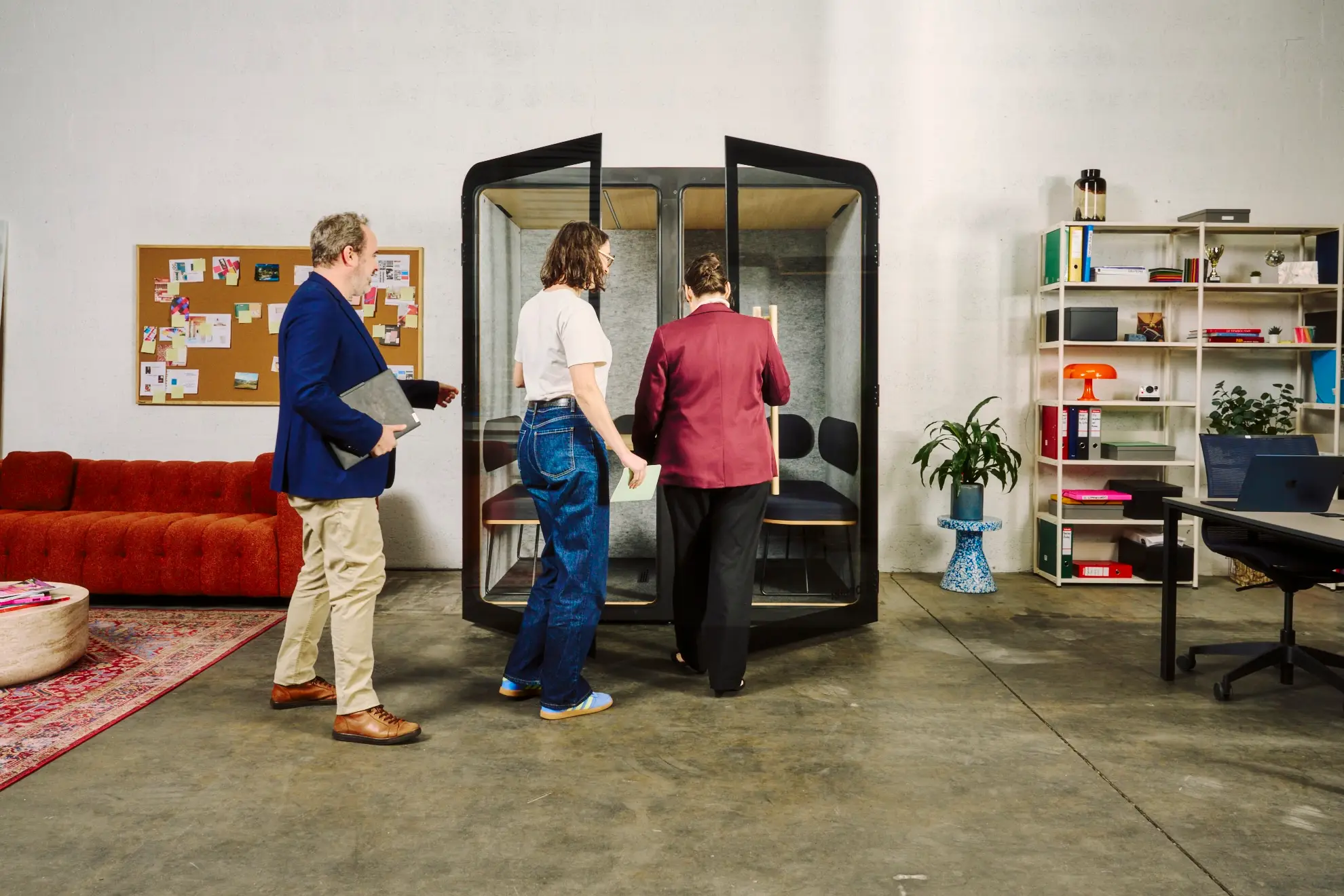
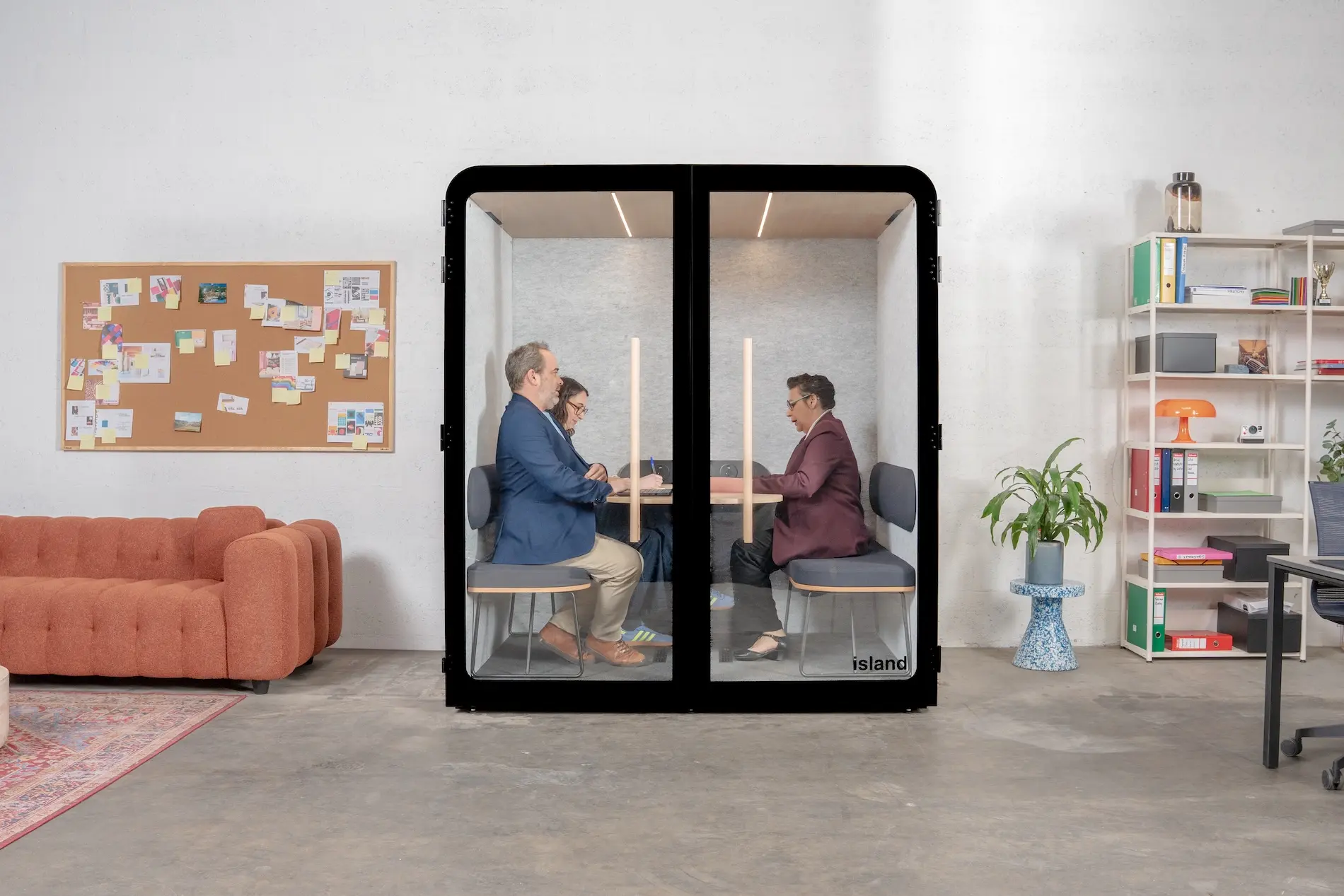
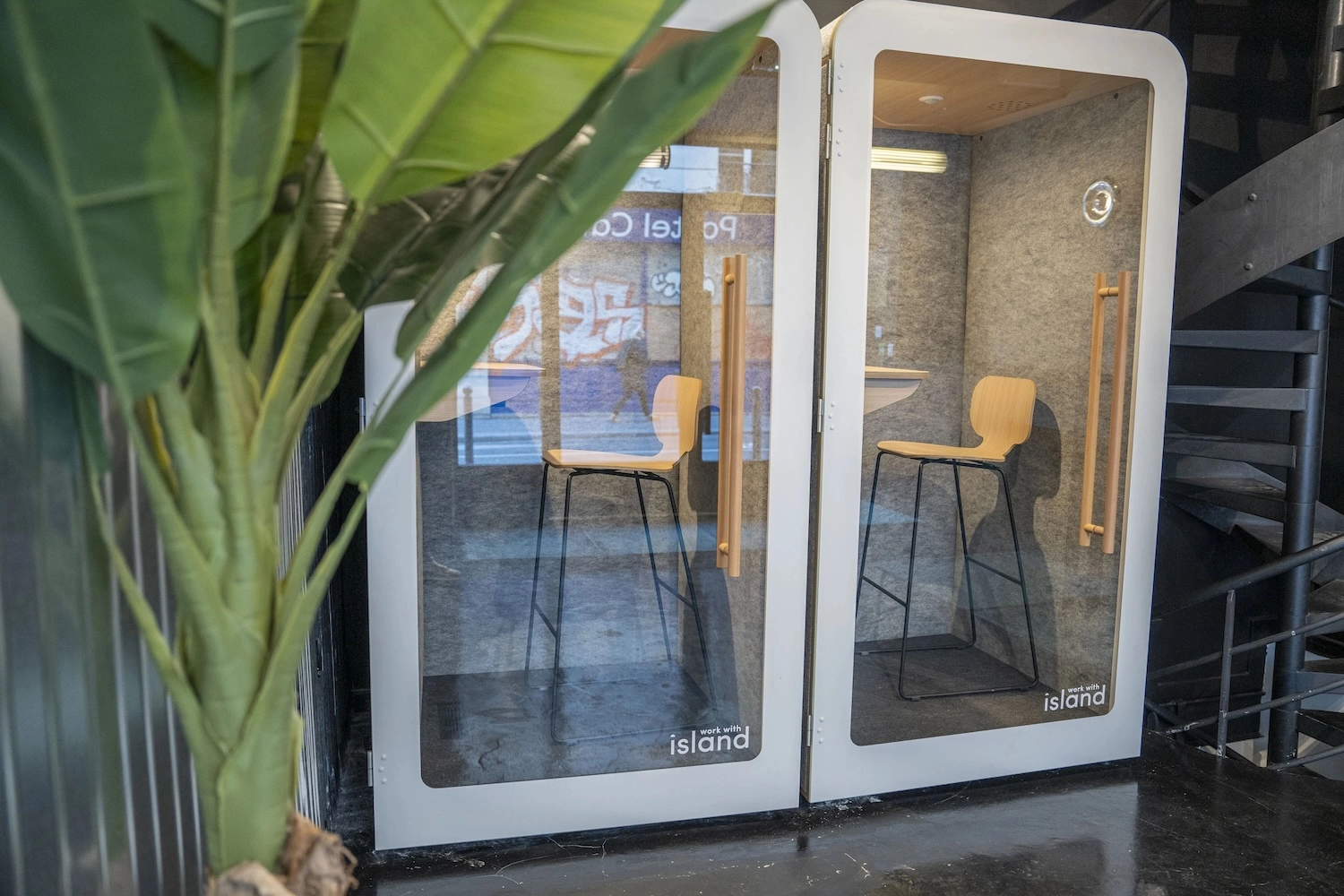
In open spaces, a lack of privacy and noise disturbance are major issues that directly affect ergonomics and wellbeing. Acoustic pods, like the ones offered by Work With Island, provide a fast, effective solution:
High-performance sound insulation: a reduction of 28.7 to 31.1 dB (Class A to the ISO 23351-1:2020 standard)
Maximum flexibility: pods can be moved as your needs evolve
Choosing the right pod for each use
Different models meet specific needs:
Model
Ideal use
Key features
Island Solo
Individual calls and video conferences
Compact dimensions, built-in ventilation, full connectivity
Island Desk
Longer work sessions
Comfortable seating, ergonomics optimised for focus
Island Duo
Confidential interviews (2 people)
Generous space, 28.7 dB acoustics
Island Quattro
Confidential meetings (4 people)
Complete meeting room, 29.8 dB acoustics
10 Concrete Actions to Improve Office Ergonomics
These solutions fit harmoniously into any type of environment and let you create private spaces instantly, without the constraints of traditional building work.
Impact on overall ergonomics
Acoustic pods contribute directly to several dimensions of ergonomics:
• Organisational ergonomics: flexible spaces for the needs of the moment
• Environmental ergonomics: control over the sound and visual atmosphere
Our pods come with strong ventilation (250 to 500 m³/h), LED lighting with a presence detector, and full connectivity, guaranteeing optimal comfort even during longer use.
Plants improve perceived air quality and reduce feelings of stress at work. For an open plan office far from windows, choose shade-tolerant species like sansevieria, pothos or zamioculcas, which are sturdy, low-maintenance and effective even in low light.
Action 6: Adapt ergonomics to remote and hybrid working
The rise of remote working means thinking about ergonomics beyond the company's walls.
This adaptation rests on three pillars:
• Equipping remote workers
• Designing flexible spaces at the office
• Support policies for remote work
Ergonomic kit for remote workers: essential equipment
Prioritise the elements with the biggest effect on posture:
• Ergonomic chair: a priority investment
• Adjustable monitor stand: positions the top of the screen at eye level
• Ergonomic keyboard and mouse: prevent wrist tension
For budget or space constraints, affordable solutions exist:
• Portable sit-stand desk converters that sit on an existing table
• Foldable laptop stands combined with an external keyboard
• Financial support available: AGEFIPH grants, ergonomics packages from health insurers
Flex office spaces: combining flexibility and ergonomics
Setting up unassigned workstations needs particular care:
• Furniture with a wide range of adjustments
• Intuitive adjustments with visual indicators to help find the right setting
• Sturdy mechanisms that can handle frequent use
Make the switch between users easier with booking systems that include ergonomic profiles and QR codes linking to adjustment tutorials.
Sur le long terme, les cabines s’avèrent également un meilleur investissement: démontables et remontables, elles pourront vous suivre lors de vos déménagements.
Action 7: Set up a musculoskeletal disorder prevention policy
An effective MSD prevention strategy rests on three complementary pillars:
• Training and awareness: group sessions, hands-on workshops, themed webinars
• Exercise programmes: active micro-breaks, weekly sessions, company challenges
• Personalised follow-up: early identification of risk, individual adjustments
Training employees in good ergonomic practices
Training content should combine theory and practice:
• Fundamental biomechanical principles explained simply
• Workstation adjustment techniques practised in real conditions
• Easy strengthening and stretching exercises
Take a gradual approach: an in-depth initial training session (2–3 hours) followed by shorter quarterly refreshers (30 minutes). Appoint intensively trained ergonomics champions to multiply the impact.
Physical activity programmes at work
Several activities fit well into the office environment:
• Chair yoga: no special equipment, done right at the desk
• Targeted stretching: focus on the neck, shoulders and wrists
• Guided walk-throughs: describing the experience in real conditions
• Occupancy heat maps: visualising how spaces are actually used
Structure the shared decision process by forming a representative committee, clearly defining the scope of consultation, and being transparent about constraints.
Technology for personalising workstations
New technology is transforming the user experience:
• Automatic adjustment apps connected to furniture via Bluetooth
• Systems that remember individual preferences (lighting, temperature, acoustics)
• Solutions built for shared spaces: smart booking apps, QR codes linking to tutorials
Bon à savoir :
Personalisation and ergonomics aren't the same thing. Personalisation gives employees freedom over their preferences (lighting, height, layout). Ergonomics sets objective standards: screen at eye level, backrest angle at 100–110°, reading distance 70 cm. Letting everyone adjust their workstation with no guidance can create bad habits that stick. The two work together: personalisation drives buy-in, standards protect health.
Action 9: Measure the impact of your ergonomic actions
Evaluating return on investment takes KPIs across several dimensions:
• Health indicators: frequency and length of MSD-related sick leave, reported pain
• Productivity measures: actual working time, error rates, speed of execution
Quantitative indicators for assessing ergonomic measures
Tracking the absenteeism rate is the most direct indicator. Sharpen your analysis by:
• Distinguishing specific conditions (lower back pain, neck pain, carpal tunnel syndrome)
• Comparing your figures with sector averages
• Quantifying direct and indirect costs: sick leave, replacements, lower productivity
Measuring employee satisfaction and wellbeing
Diversify your measurement tools:
• Standardised questionnaires: the Cornell scale (CMDQ) for musculoskeletal discomfort
• Pulse survey apps: very short but frequent feedback
• Non-intrusive IoT sensors: objective measurement of space usage
• Targeted qualitative interviews: a deeper understanding of individual experiences
• Adjust how often you collect data: weekly micro-surveys (2–3 questions) and more in-depth quarterly assessments.
Action 10: Learn from successful case studies
Lessons from organisations that have gone through ergonomic transformations offer valuable insight.
SMEs: ergonomic transformation on a controlled budget
A consulting firm (35 people) took a step-by-step approach:
• Immediate investment in ergonomic chairs for everyone
• Gradual rollout of sit-stand desks over 18 months
• Phased fit-out of complementary spaces
This strategy spread the investment while delivering visible benefits at each stage. A digital services company documented a significant drop in comfort-related complaints and a notable improvement in job satisfaction, for a modest investment that was a small share of its annual payroll.
Large companies: rolling out a company-wide ergonomic strategy
An international industrial group set up a dedicated structure including:
• A cross-functional steering committee (HR, real estate, IT, business units)
• Themed working groups
• A network of local ambassadors
This matrix structure combined a global strategic view with adaptation to local specifics. The effect on employer brand was significant: several organisations saw a notable rise in unsolicited applications and shorter recruitment times for skilled roles after publicising their ergonomic transformation.
The essentials in 10 points
Fit out the ergonomic workstation A height-adjustable desk, a chair with lumbar support, a screen at eye level 70 cm away: the workstation is the core of MSD prevention.
Create dedicated zones Focus, collaboration, relaxation and video call spaces: every activity deserves its own setting to protect work-life balance.
Add acoustic pods Class A ISO 23351-1 pods cut noise by 28.7 to 31.1 dB and install in around 30 minutes with no building work.
Manage the sensory environment Natural light within 7 m of workstations, treated acoustics, fresh air: the environment has a direct effect on focus.
Bring in biophilia Shade-tolerant plants, living walls, natural materials: the air improves, stress drops, creativity rises.
Adapt ergonomics to remote work A complete ergonomic kit at home (€300 minimum), widely adjustable furniture at the office: ergonomics follows the employee wherever they work.
Set up a prevention policy Posture training, hourly micro-breaks, ergonomics champions in each department: prevention is a team effort, not an individual one.
Co-design with your teams Participatory workshops during the design phase: a sense of ownership over the space guarantees adoption of the solutions.
Measure the impact MSD absenteeism rate, satisfaction score, equipment usage: without indicators, there's no continuous improvement.
Learn from real-world examples Whether SME or large company, a gradual, participatory approach gets the most out of every stage.
10 Concrete Actions to Improve Office Ergonomics
Towards a comprehensive approach to workplace ergonomics
Office ergonomics is no longer optional, it's a strategic necessity. These 10 concrete actions will let you significantly improve your teams' wellbeing and productivity, while strengthening your employer brand.
To succeed in your transformation, take a gradual, participatory approach. Start with high-impact actions and involve your employees at every stage to guarantee buy-in and the right fit for each solution.
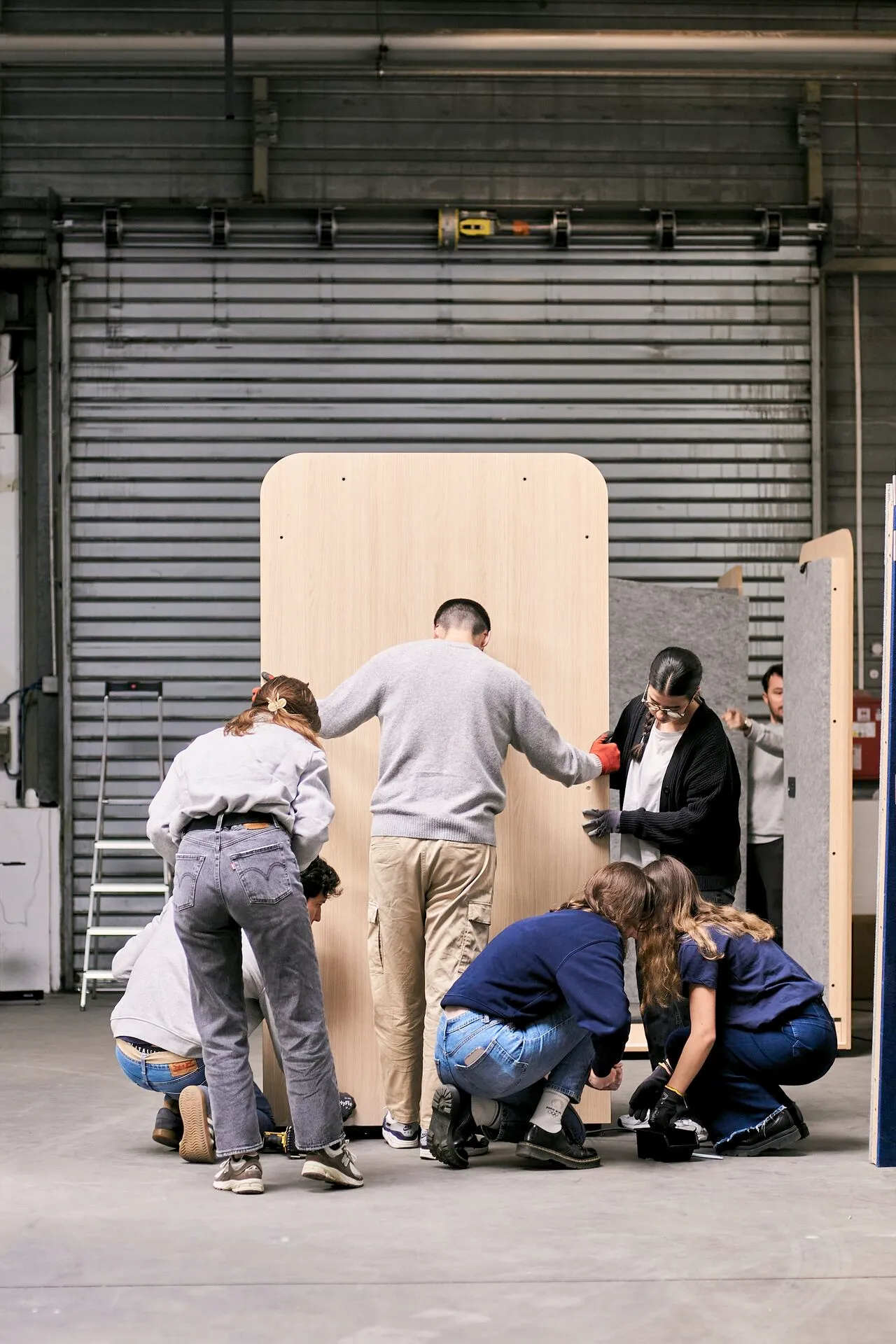
Work With Island can support you in this, with acoustic pods made in France (Vendée) and B Corp certified. Our Solo, Desk, Duo and Quattro models install in around 30 minutes with no building work, with a 100-day trial and a 5-year warranty.
More than 15,000 installations for over 4,000 companies across Europe, including LVMH, Decathlon and SNCF, speak to how well our solutions work.
Investing in ergonomics today means building the high-performing, appealing company of tomorrow.
Want to know more about our acoustic pods?
Fill in the form and get our product guide right away. A clear PDF with everything you need: price, dimensions, connectivity and more.
FAQ on office ergonomics
What's the average budget for improving office ergonomics?
The budget depends on the scope of the project: plan €500–€1,000 per workstation for a complete ergonomic setup (chair, adjustable desk, accessories). For acoustic solutions, Work With Island pods start at €3,990 excl. VAT with installation included. The investment generally pays back within 12–18 months through lower absenteeism.
How do you convince management to invest in ergonomics?
Present the numbers: MSD costs, current absenteeism rate, productivity impact. Propose a gradual approach with high-ROI actions (ergonomic chairs, acoustic pods). Highlight the benefits for employer brand and company appeal.
What are the most common ergonomic mistakes in offices?
Common mistakes include: a screen too low or too close, no lumbar support, a non-adjustable workstation, poor or glaring lighting, and an unmanaged sound environment. These simple problems cause 80% of reported discomfort and are easy to fix.
How do you measure the effectiveness of ergonomic actions?
Track several indicators: MSD-related absenteeism rate, employee satisfaction scores (NORDIC questionnaire), usage rate of ergonomic equipment, and measured productivity. Take before and after measurements to objectively quantify the improvements.
Is ergonomics legally required?
Yes, employers have a duty of care towards their employees (French Labour Code, articles L4121-1 and onwards). They must assess risks, including MSDs, and put appropriate prevention measures in place. Not doing so can lead to penalties and holds the company liable.
How do you adapt ergonomics for remote working?
Provide remote workers with a basic kit (ergonomic chair, monitor stand, ergonomic keyboard and mouse). Offer training on good practices at home. Some companies offer an ergonomics allowance or a loan scheme to equip personal spaces.
.svg)
.svg)
.svg)
.svg)