Choose shipping location in order to see the correct pricing, delivery times and shipping costs. Prices of items may vary based on your shipping destination to reflect local market pricing and taxes.
10 tips for setting up a productive, effective office
Did you know your office layout directly affects your productivity and wellbeing at work? Between remote work, flex office and collaborative spaces, setting up a functional, pleasant office has become a real challenge. Poor ergonomics, lack of organisation, noise disturbance: all obstacles that hurt your everyday efficiency.
Drawing on our experience fitting out workspaces for nearly 4,000 companies since 2018, we share here the best practices for a successful office layout.
Controlled acoustics, suitable lighting, built-in biophilia: the three levers for an office where focus is preserved and stress is reduced.
Equip the workstation properly
Ergonomic chair, screen at eye height, keyboard in a natural position: a well-adjusted workstation prevents musculoskeletal disorders day to day.
Optimise the space
Zoned storage, exploited verticality, multifunction furniture: every square metre serves a precise purpose, especially in small spaces.
Create a coherent atmosphere
A colour palette suited to the activity, measured personal touches: the visual atmosphere directly affects productivity and wellbeing.
10 essential tips for a pleasant open-plan office
Tip 1: Master the acoustics of your workplace
Noise level directly affects productivity. Beyond 60 dB, focus drops significantly. The ISO 3382 standard defines acoustic standards for offices.
Identify sources of disturbance
Measure the noise level of your workplace. The ideal range is 45-55 dB for intellectual work. Traffic noise, conversations and equipment disrupt focus. Reverberation amplifies this disturbance in open-plan offices.
Map noise sources across the day. Printers generate one-off noise peaks. High-traffic zones create a constant background noise. This analysis guides the choice of sound-insulation solutions.
Put insulation solutions in place
Absorbent materials reduce reverberation. Wall or ceiling acoustic panels effectively treat open spaces. Planting combines aesthetics with natural sound absorption.
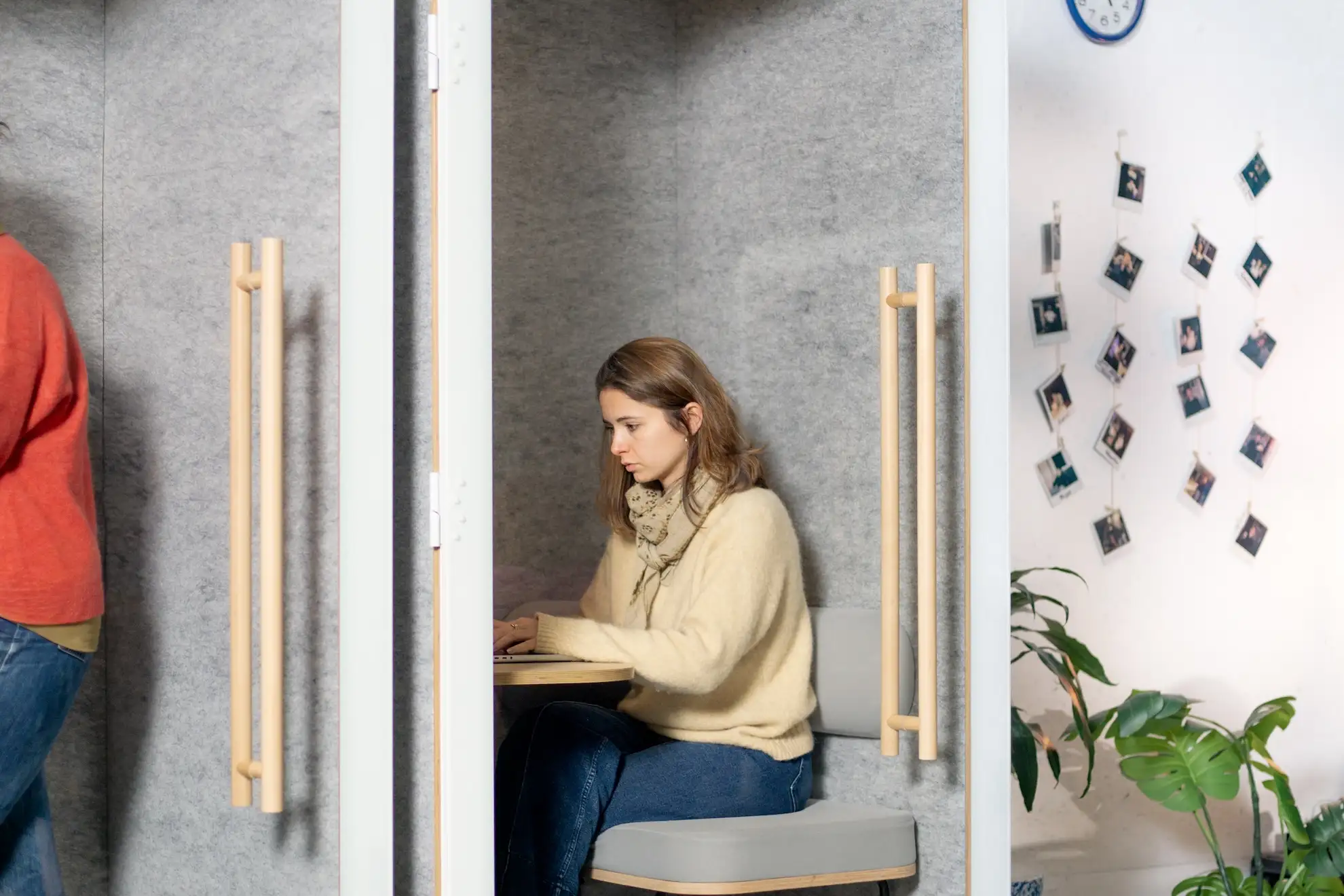
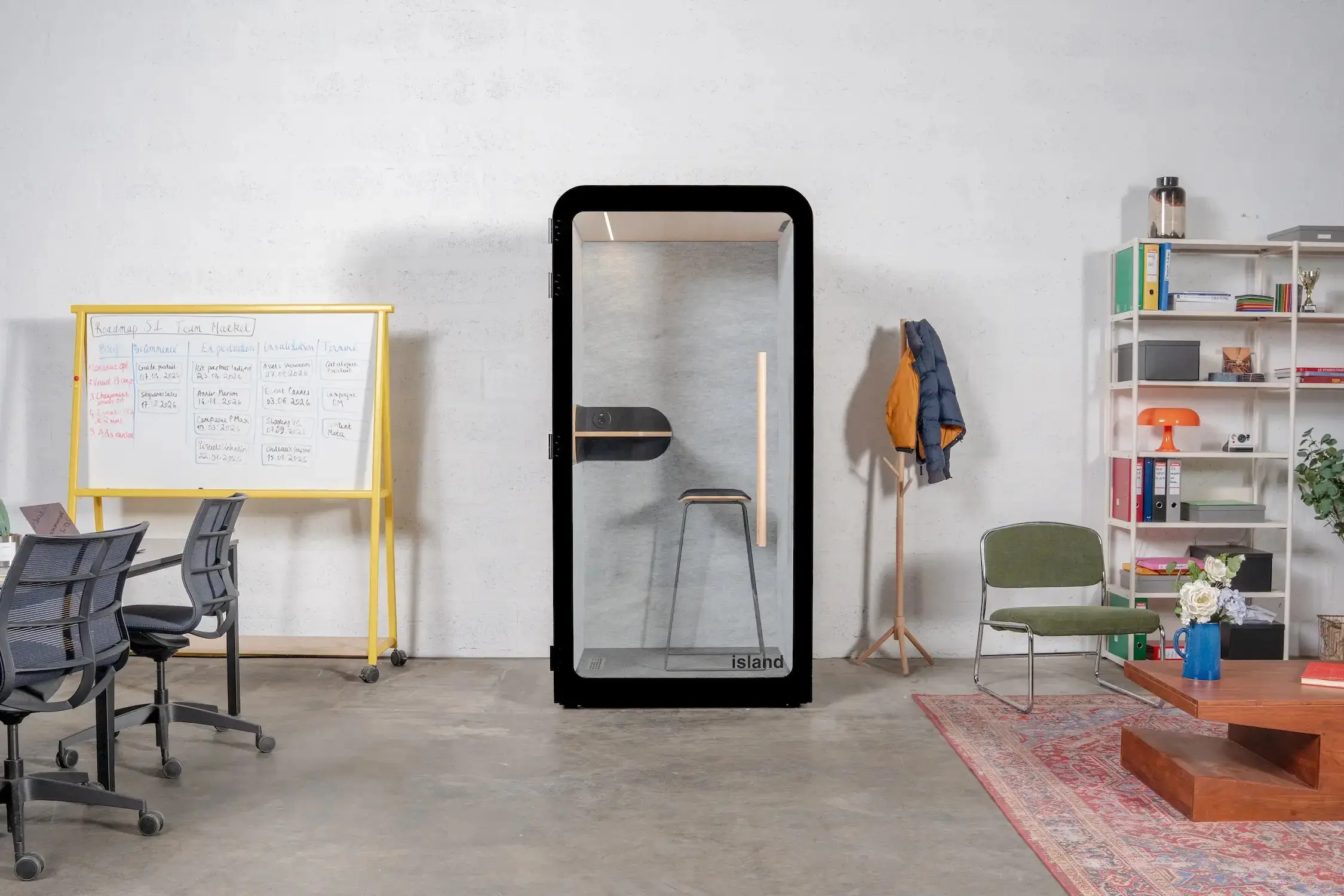
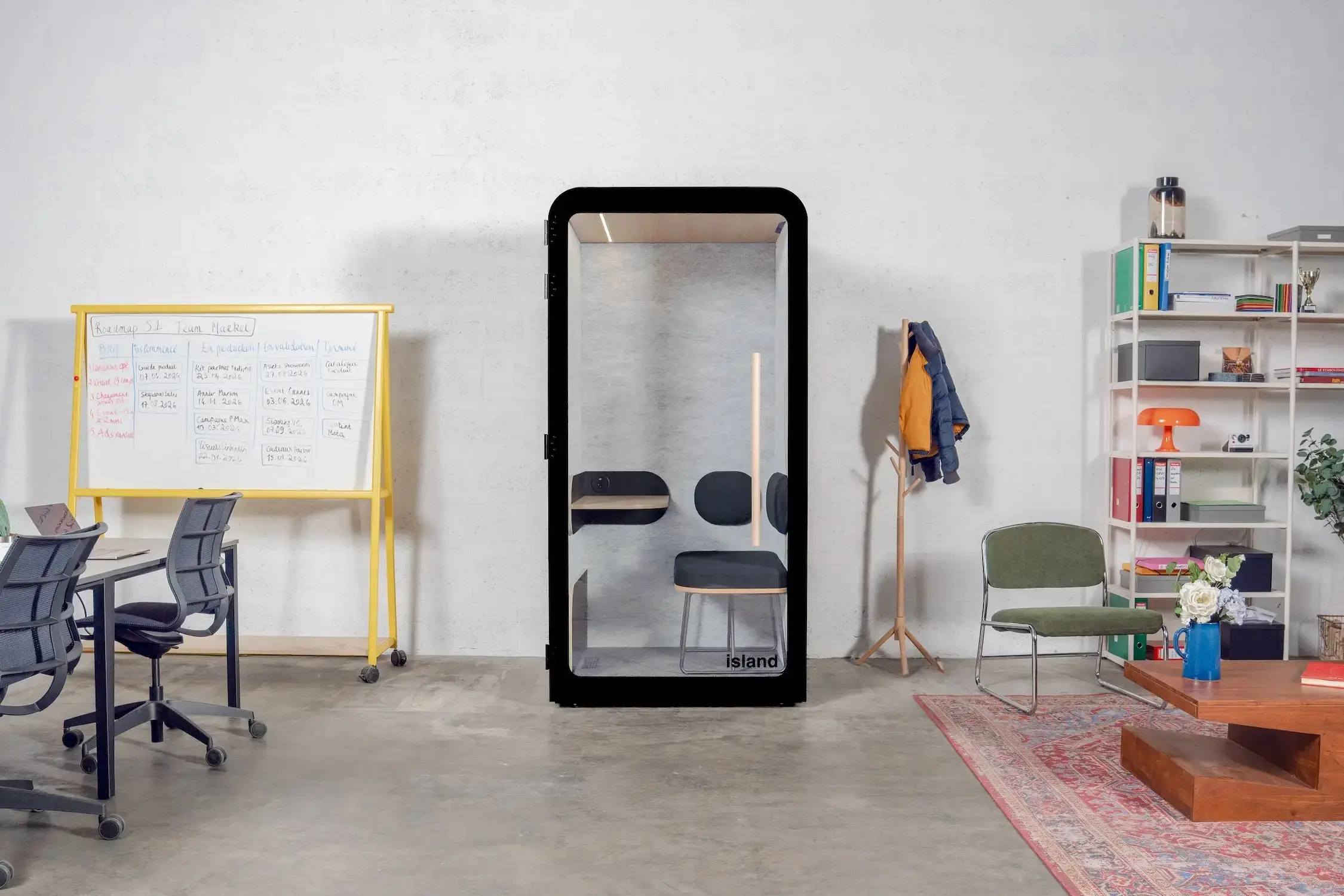
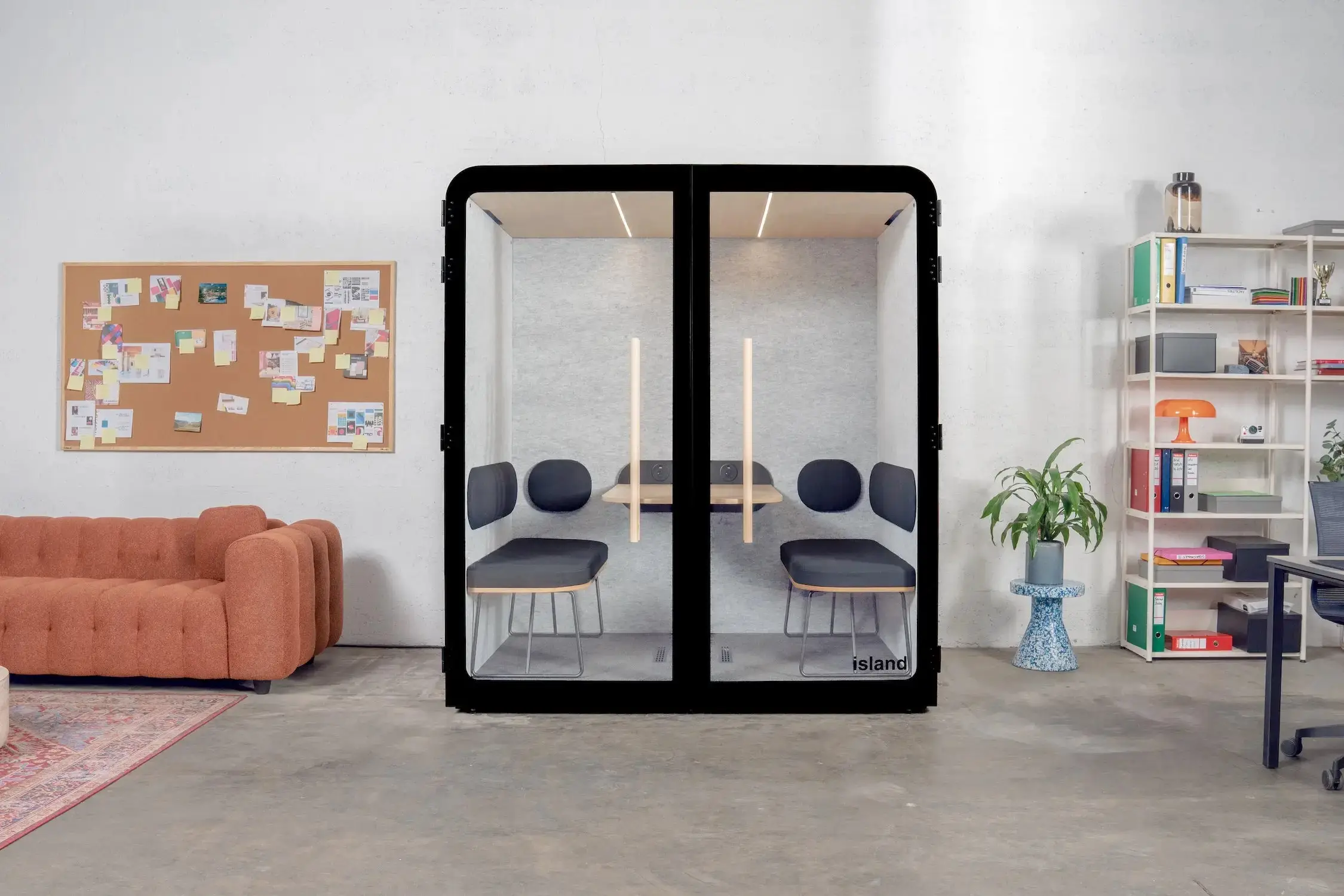
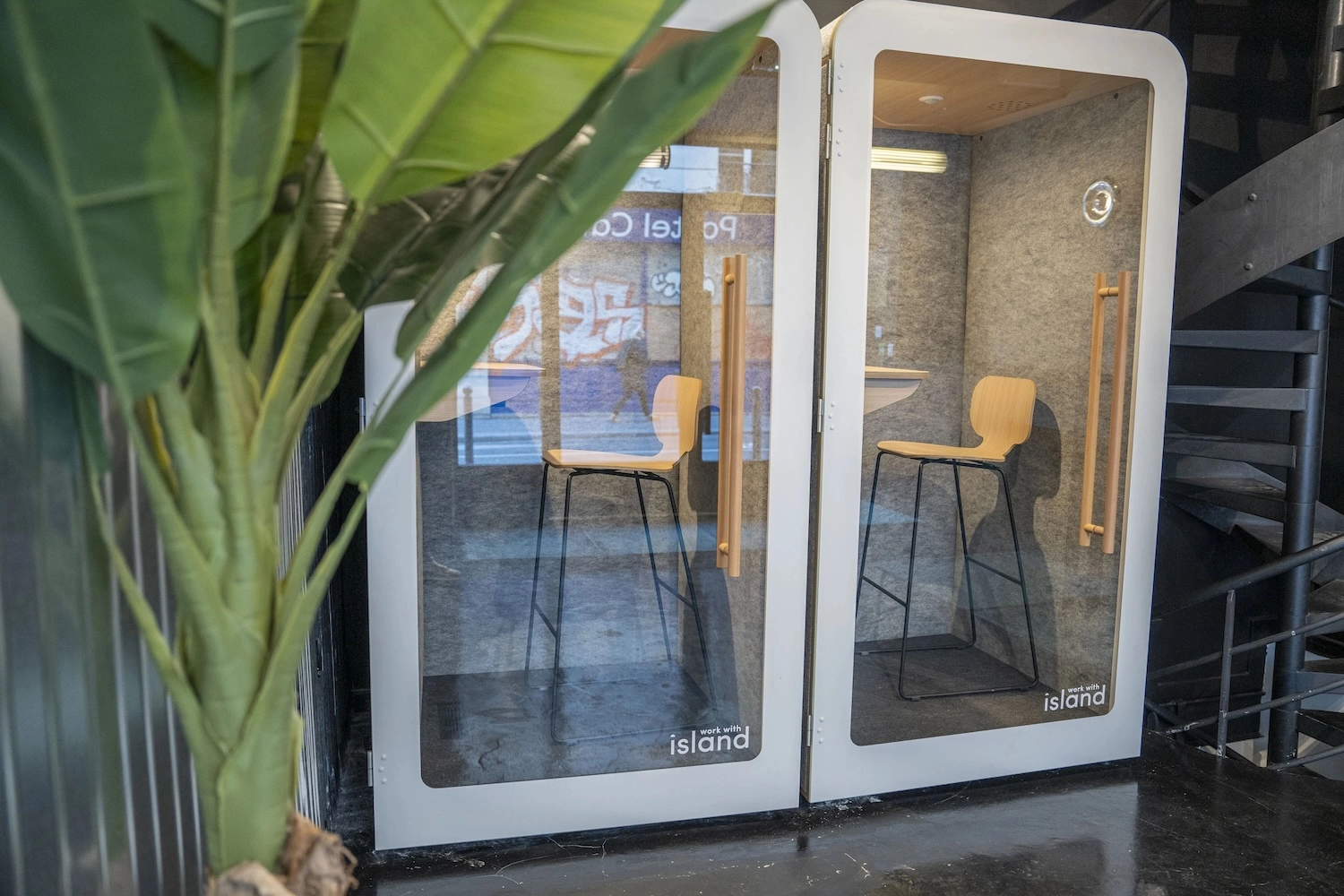
Our acoustic pods create bubbles of silence for calls and focus. These modular solutions install with no major construction work. They meet the needs of flex office and modern collaborative spaces.
Create focus spaces
Dedicated quiet zones preserve focus. Installing acoustic pods for calls and video conferencing avoids disturbing the team. These retreat spaces improve collective wellbeing.
Privacy becomes crucial as digital exchanges multiply. Phone booths guarantee discretion for professional conversations. This calm at the office boosts both individual and collective productivity.
Recommended noise levels by activity (Work With Island solutions, ISO 23351-1 Class A)
Focus work: Island Solo or Desk, noise reduction of 30.2 to 31.1 dB for an individual focus bubble
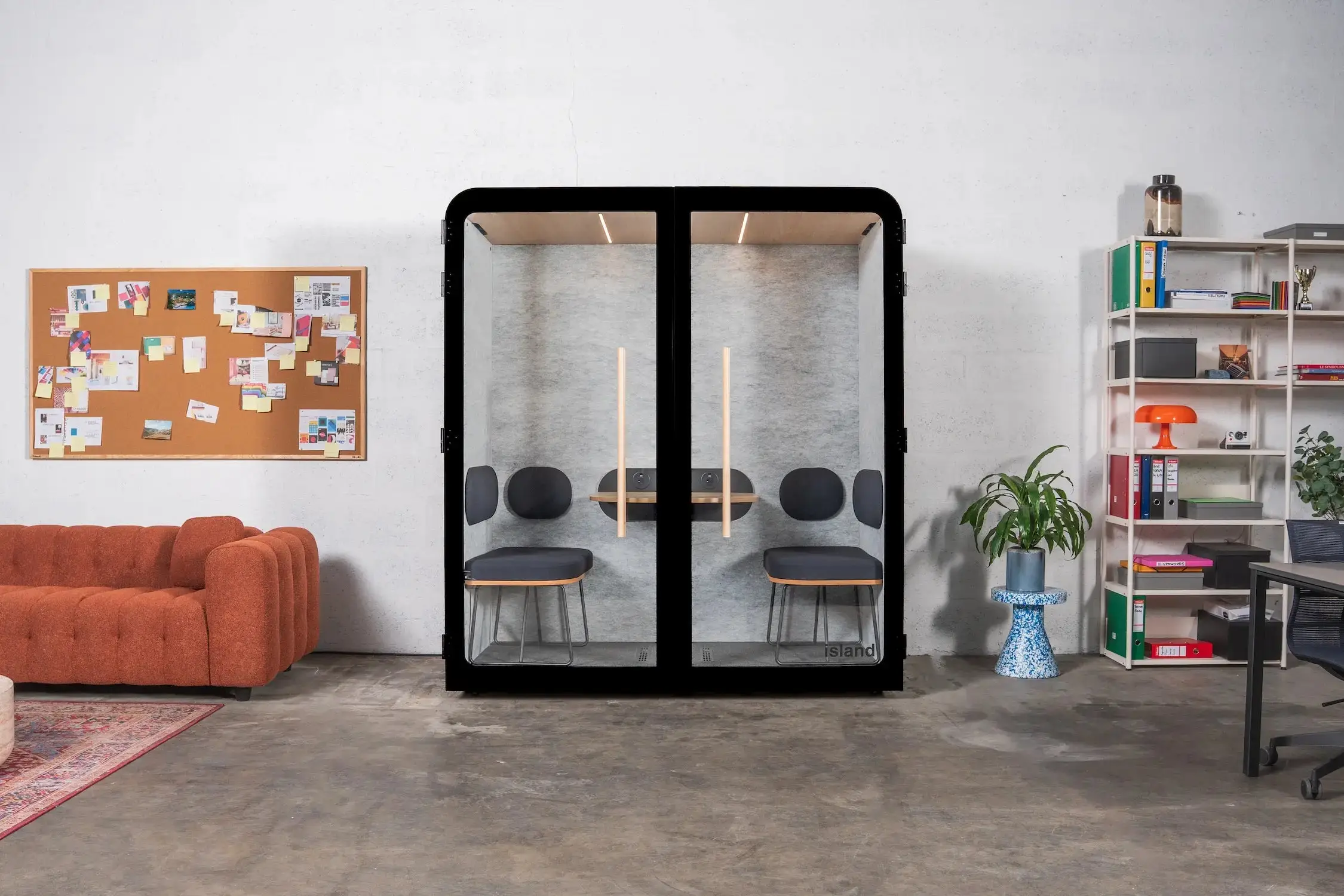
Collaborative work: Island Quattro, 29.8 dB reduction for 4-person brainstorming sessions
Formal meetings: Island Duo (2 people) or Quattro (4 people), Class A certified privacy
Phone and video calls: Island Solo as a phone booth, 30.2 dB reduction to protect the team around it
Relaxation zones: deliberately open spaces, away from focus zones, to encourage informal exchanges
Tip 2: Choose the ideal location for your workspace
The choice of location plays a decisive role in the success of your office layout. Two essential criteria guide this strategic decision to optimise your productivity.
1. Favour natural light
A north- or east-facing exposure offers ideal natural light with no direct glare. Position your screen perpendicular to a window or glazed opening to avoid reflections while benefiting from natural light. According to the INRS, insufficient lighting directly affects employees' focus and visual comfort.
Complement this natural light with adjustable artificial lighting. An adjustable desk lamp lets you tune intensity to the task. LED screens reduce eye strain compared with older fluorescent models.
2. Minimise noise disturbance
In an open-plan office, choose a calm spot away from printers and informal meeting areas. Identify the noise sources: foot traffic, conversations, equipment. Proximity to a light source shouldn't come at the cost of the calm needed for focus.
Plan for suitable sound insulation. Living-wall partitions naturally absorb sound while adding an aesthetic touch. For tight spaces, wall acoustic panels effectively reduce reverberation.
Ergonomics prevents musculoskeletal disorders and significantly improves everyday comfort. According to ANACT, a significant share of MSDs linked to screen work can be avoided with a suitable ergonomic setup.
Adjust your chair correctly
Your ergonomic chair should follow the right-angle rule: 90° at the elbows and knees. Height-adjustable armrests support your forearms without creating tension in your shoulders. Lumbar support follows your back's natural curve.
Your feet should rest flat on the floor or on a footrest. Standard desk height ranges from 72 to 75 cm, but adjustable desks adapt to your build. The NF EN 1335 standard guarantees ergonomic compliance for professional chairs.
Choose ergonomic accessories
A footrest compensates for differences in body size when your feet don't reach the floor. A document holder prevents repeated neck rotation. Task lighting eliminates shadowy areas on your work surface.
Good to know
These accessories turn a standard workstation into a personalised environment. The investment stays modest compared with the benefits for your health and long-term efficiency.
Tip 4: Position your screen and keyboard correctly
How you position your screen and keyboard determines your visual comfort and prevents neck and wrist pain.
Screen distance and height
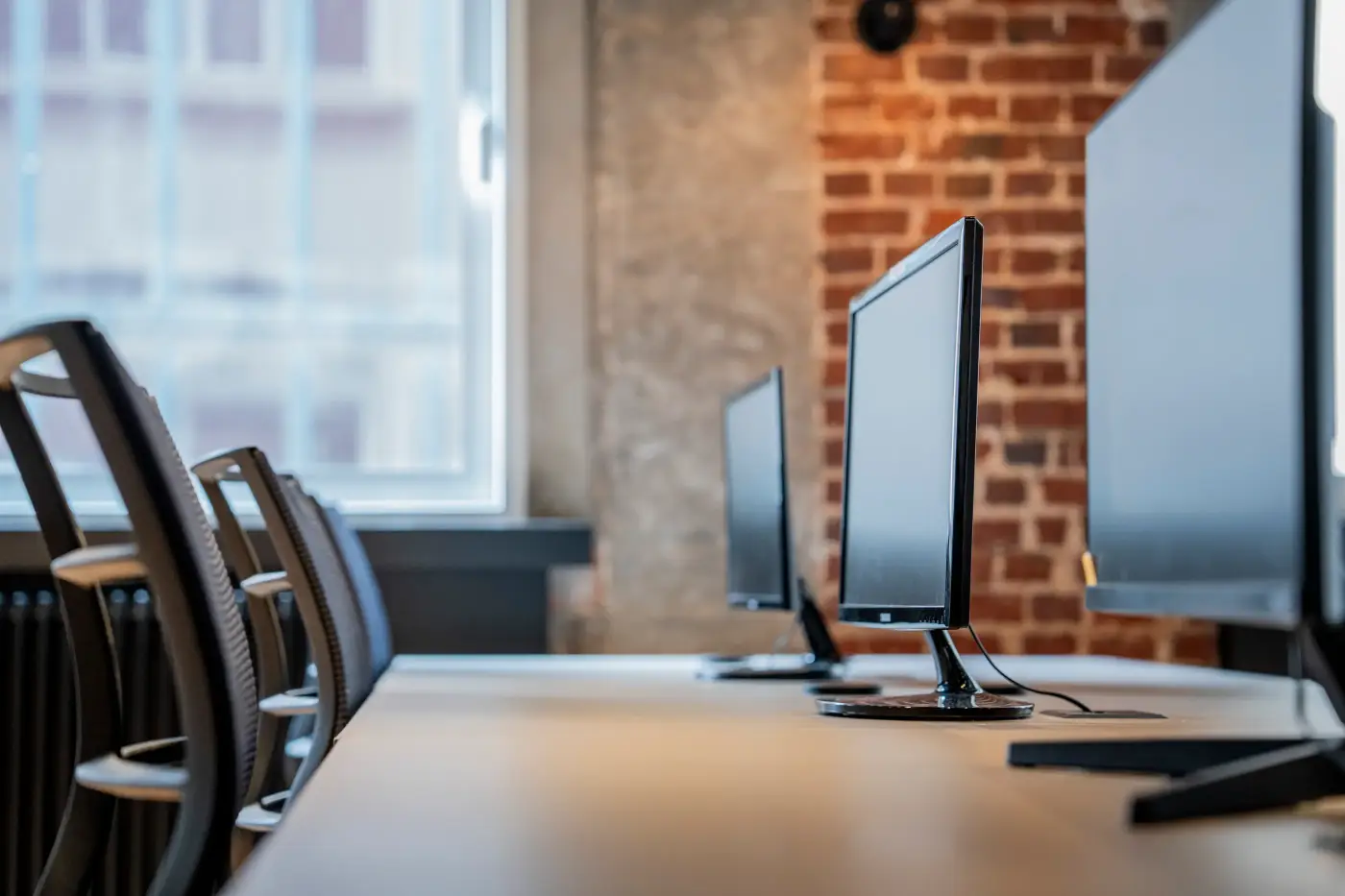
Keep a distance of 50 to 70 cm between your eyes and the screen. The top of the screen should sit at eye level or slightly below. Use a monitor stand to adjust the height without raising the whole laptop.
This optimal position reduces eye strain and neck tension. For multiple screens, position the main screen directly in front of you.
A detached keyboard allows a more natural arm position. Your wrists stay straight while typing, with no upward or downward flexion. This workstation ergonomics considerably reduces the risk of tendinitis.
Place the keyboard at a distance that keeps your elbows close to your body. The mouse should sit at the same level as the keyboard to avoid wrist twisting.
Tip 5: Organise your storage intelligently
A methodical organisation of office storage maximises efficiency and reduces everyday stress. The 5S method, from lean management, adapts perfectly to offices.
Apply the usage-zone rule
Divide your space into three concentric zones. The primary zone, within arm's reach, holds your everyday tools. Active documents belong in desk drawers within easy reach. The secondary zone, reachable while standing, holds weekly resources.
The tertiary zone is for storing archives and supplies. This logical organisation avoids unnecessary movement and keeps the work surface clear. A tidy desk reduces cognitive load and supports focus on priority tasks.
Choose the right storage furniture
Sliding drawers give full access to their contents, unlike traditional drawers. Adjustable shelves adapt to your changing needs. A wheeled pedestal for active documents moves easily as needed.
Modular office furniture supports reorganisations. Favour durable materials and easy-to-maintain finishes. Vertical filing systems optimise floor space.
Set up a filing system
Colour coding speeds up finding folders. Clear labelling avoids tedious searches. Regular sorting keeps your system relevant. Digitise documents you consult occasionally to free up physical space.
The 7 essential types of storage:
Drawers for everyday supplies
Binders for active documents
Shelves for reference material
Trays for daily sorting
Mobile pedestal for projects
Cabinet for archives
Defined personal spaces
Tip 6: Exploit verticality in small spaces
Optimising a small office takes creativity and method. Every square metre counts to create a functional office corner even in a tight space.
Use walls and height
Wall shelves free up floor space while offering visible storage. Hanging storage uses the space under shelves. A fold-down wall desk tucks away after use in a multifunction room.
A corner desk maximises usable space in an 8 m² room. This layout offers two distinct work surfaces: one for computer work, one for manual tasks. The blind corner becomes valuable extra space.
Optimise every centimetre
Often-overlooked high spaces offer significant storage potential. Install shelves up to the ceiling for archives and rarely used supplies. Tall furniture creates storage volume without encroaching on circulation space.
This vertical optimisation frees up floor space, giving the impression of a more spacious, airy office.
For tight spaces, an Island Solo pod is an effective solution: it takes up just 1 m² of floor space while freeing up a fully sound-isolated focus space, where a traditional partition would require construction work.
Multifunction furniture combines several uses in a single piece, optimising both space and budget.
Favour 2-in-1 furniture
A desk unit with built-in storage combines functions. A storage-ottoman stores rarely used supplies. A bookcase serves as a divider between the office and living area in a studio.
These smart solutions reduce clutter while keeping all the functionality you need for your everyday work.
Choose modular acoustic solutions
In small spaces, favour modular solutions that install with no construction work. Compact acoustic pods like the Island Solo (1m² of floor space) create effective focus zones without compromising your layout's flexibility.
These acoustic pods adapt perfectly to the constraints of remote work and small spaces. Their fast installation (around 30 minutes) and mobility let you reorganise the space as your needs evolve. The 31.1 dB noise reduction guarantees optimal insulation for calls and focused work.
Visual delineation structures the space, even a small one. Specific lighting signals professional activity. These psychological markers improve focus at home.
A functional computer workstation needs about 4 m², accounting for the desk, the chair and a circulation zone. This reference area guides both professional fit-outs and home remote-work setups.
Space-saving solutions by available area:
Area
2-4 m²
4-6 m²
6-8 m²
Priority solutions
Wall desk, vertical storage
Corner desk, 2-in-1 furniture
Dedicated zones, acoustic pods
Recommended furniture
Fold-down table, shelves
Mobile pedestal, bookcase
Desk with return, Solo pod
Tip 8: Master natural and artificial lighting
Lighting directly affects comfort at work and productivity. A thoughtful combination of natural and artificial lighting optimises your visual environment.
Position workstations
Position workstations perpendicular to windows to benefit from natural light with no direct glare. This orientation avoids reflections on computer screens.
Adjustable slat blinds offer precise control over brightness. A screen with its back to the window creates reflections, while a screen facing the window blinds the user.
Adapt the colour temperature
The colour temperature of artificial lighting should adapt to the activity. For screen work, favour 4000K (neutral white). Relaxation spaces can use 3000K (warm white) for a more relaxing feel.
ANSES recommends 500 lux of illuminance on the work surface for office activities. Complement general lighting with adjustable desk lamps that let you tune intensity as needed.
Manage reflections and contrast
Reflections on screens are a major source of eye strain. Install blinds or anti-glare film on windows exposed to sunlight.
Glossy surfaces (glass tables, lacquered furniture) amplify reflection problems. Favour matte or satin finishes for office furniture and wall coverings.
Avoid too much contrast between the screen and the environment. Soft ambient lighting reduces eye strain during prolonged computer work.
Bon à savoir :
Work With Island pods come standard with 3500K LED lighting and a presence sensor, a neutral light suited to prolonged work, with no extra wiring needed.
Tip 9: Add plants and natural elements
Personalisation improves wellbeing and motivation. A pleasant environment stimulates creativity while respecting the collective harmony of shared workspaces.
Choose the right office plants
Office plants purify the air and reduce stress. Choose low-maintenance, air-purifying species: pothos, sansevieria or ficus. Research from the University of Exeter shows that plants at the office improve employee productivity and wellbeing.
These plants need little maintenance and adapt to offices' varying light conditions. They create a living, calming environment.
Incorporate natural materials
Natural materials like wood bring warmth and authenticity. A view of the outdoors, even a partial one, connects you with nature. These elements offset the artificiality of technology-heavy environments.
Natural textures (wood, stone, fabric) create a warmer, more welcoming atmosphere than a purely synthetic environment.
Plants suited to low-light offices:
• Pothos: hardy, fast-growing
• Sansevieria: very low maintenance
• Zamioculcas: tolerates dry air
• Philodendron: decorative foliage
• Ficus elastica: effective purification
• Spathiphyllum: regular flowering
Having plants improves perceived air quality and reduces feelings of stress at the office. For an open-plan office far from windows, favour shade-tolerant species like sansevieria, pothos or zamioculcas — hardy, low-maintenance and effective even in low light.
Tip 10: Personalise with a suitable colour palette
Colours subtly influence mood, focus and performance. Choosing a suitable palette optimises your wellbeing at work.
Choose colours based on the activity
Blue supports focus and reflection. Green reduces eye strain during screen work. Avoid overly stark contrasts, which create eye strain. Colour consistency calms the environment.
Warm colours stimulate energy but can be agitating. Neutral tones offer a calming base that you can personalise with colourful accents. This office decor subtly influences mood and performance.
Add personal touches in moderation
A few inspiring photos create a positive emotional connection. Personal objects, in moderation, humanise the workspace. Ambient lighting complements functional lighting for moments of relaxation.
Respect the company's visual identity while allowing for personal touches. This balanced personalisation improves the sense of belonging and everyday motivation.
“Genuine extra rooms, the Work With Island phone boxes are soundproof bubbles that bring comfort and privacy right into the heart of our shared areas. They blend into our decor while adding a design-led touch. Everyone uses them for a call, a video meeting or a moment of focus.”
Julie Texier
Chief Operating Officer at Imagin'office
10 essential tips for a pleasant open-plan office
Work With Island supports your fit-out project
Looking to create focus and privacy spaces in your offices? Work With Island offers innovative acoustic solutions perfectly suited to modern office fit-out challenges.
Our Island Solo, Island Desk, Island Duo and Island Quattro acoustic pods transform your open-plan offices by creating bubbles of calm. Noise reduction of up to 31.1 dB, automatic ventilation of 400 to 800 m³/h with air renewed every 15 to 20 seconds, LED lighting with a presence sensor: every detail is designed for your comfort and productivity.
100% French manufacturing in the Vendée region, with B Corp certification for a controlled environmental impact. Our recognised expertise rests on more than 15,000 pods installed across Europe for 4,000 companies, including prestigious clients like LVMH, Decathlon and SNCF. Simple installation in under 1 hour, with no construction work or disruption, plus 100 days of a money-back trial to confirm your choice.
Nos cabines sont certifiées B Corp, labellisées Origine France Garantie et conformes à la norme ISO 23351-1.
Want to bring more calm to your offices?
Discover our acoustic pods and benefit from our expertise to create the ideal workplace.
Master the acoustics Acoustic pods, absorbent panels (coefficient αw > 0.9), identified quiet zones: noise is the top cause of lost focus.
Choose a good location Workstations within 7 metres of windows, away from high-traffic zones and the main sources of noise.
Optimise chair ergonomics Adjustable seat height, lumbar support, adjustable armrests: the chair is the first ergonomic investment.
Position screen and keyboard Screen at eye height, 50-70 cm away. Keyboard flat, wrists in a neutral position.
Organise storage by usage zone Active work zone, reference zone, archive zone: every document accessible based on how often it's used.
Exploit verticality Wall shelves, high storage, stackable modules: verticality frees up the floor in small spaces.
Choose multifunction, modular furniture Fold-away desks, movable partitions, convertible seating: furniture needs to adapt as usage evolves.
Master the lighting General lighting at 300 lux, task lighting at 500-1000 lux depending on precision required. Colour temperature 4000K (neutral white).
Add plants and natural materials Pothos, sansevieria, ficus for low-light spaces: biophilia measurably improves air quality and reduces stress.
Take care with the colour palette Muted tones for focus, colourful accents for collaborative zones: colour influences mood and performance.
Want to know more about our acoustic pods?
Fill in the form and get our product guide right away. A clear PDF with all the essential information: prices, dimensions, connectivity and more.
Frequently asked questions about setting up a productive office
How do you set up an office in a small space?
Favour verticality with wall shelves and choose multifunction furniture. A corner desk optimises available space. Recommended minimum area: 4m² for a computer workstation, under the French Labour Code.
What's the best exposure for an office?
North or east exposure is ideal for natural light with no glare. Position the screen perpendicular to the window to avoid direct reflections.
How do you choose an ergonomic office chair?
Check the adjustments: seat height, adjustable armrests, lumbar support. The NF EN 1335 standard guarantees ergonomic compliance. Test before buying to confirm comfort.
What plants should you put in an office?
Choose low-maintenance, air-purifying plants: pothos, sansevieria, ficus or philodendron. They improve air quality and reduce stress, according to the University of Exeter.
How do you organise your desk to be more productive?
A tidy desk reduces cognitive stress and supports everyday focus.
.svg)
.svg)
.svg)
.svg)